We all love when things come free to us. Here I found a treasure trove of movies that are free to download. Legally.
Thanks to the Canadians of the National Film Board of Canada. They give us feature-length movies, documentaries, animated short movies. Everything, of the best quality, at the best price: Free.
I often advise downloading the free OpenOffice.org desktop suite to fully replace MS-Office (why should you pay for a Microsoft product that is leading you to spending more and more to get a suite that is more and more difficult and incompatible with time? Just dump Word and Excel for a better solution).
But, a found another option for free MS-Word: ABI Word is an open source word processor available for quite some time, but the latest version (v2.6.5) is now compatible with all the meaningful file formats like MS-Word 2007 and OpenOffice.org Writer. These XML-based file formats are usable in this freely downloadable word processor.
I do not use it by myself, but it looks good enough to check it if you want a pretty neat word processor solution to replace your MS-Word for free.
For sure, YouTube has always been crouded with rip-offs of the Monty Python sketches. Unfortunately, these were both illegal and -in general- of poor quality. The guys from Monty Python decided that enough is enough, and there is now a Monty Python channel/group on YouTube where you can see excellent quality videos of their Monty Python’s Flying Circus.
Just in passing, here are a few ideas to help the users of OpenOffice.org, the best replacement for Microsoft Office:
“Impress: Using Master Slides” explains how to use master slides in order to make a presentation look better and more homogeneous.
“Mail merge in OpenOffice.org” : Doing mail merge from a desktop software suite like OpenOffice.org is not often easy on the first time. So, why not be guided by an expert?
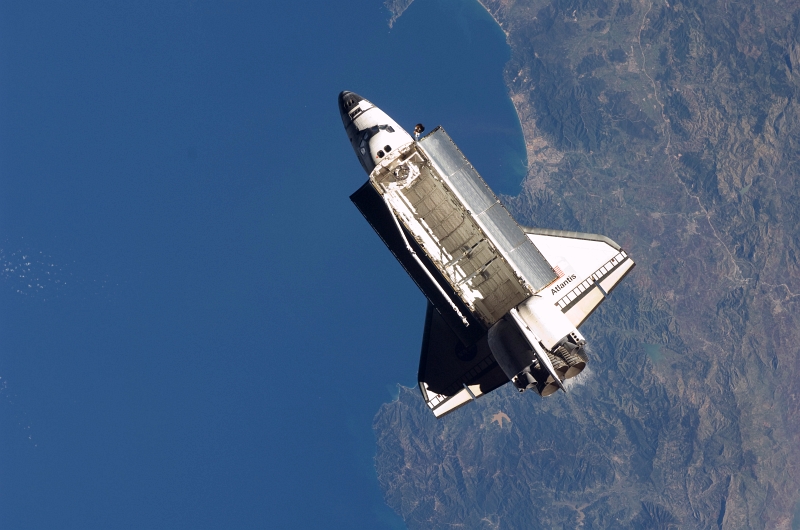
It is always more pleasant to work with a nice wall paper on your PC (or Mac) desktop. Here are two interesting source sof beautiful wallpapers based on photographic quality images:
dozens of nature-oriented images (including some cartoons) on UsingMac.com;
Defragmenting your hard disc drive may not be the latest fad, but it still is useful to improve the performance of a disc drive that’s been used for months or years and now looks more like a mouldy swiss cheese than a nice little techo-gadget. The solution: defragmenter your disc drive(s).
Here are a few ideas of (free) software programs that may be useful here:
Ultimate Defrag (from DiskTrix) is clearly a defragmenter wet dream. The only trouble? So many options that you won’t be able to sleep.
Smart Defrag (from IOBit) will help you defragmente several disc or several partitions at the same time.
OpenOffice.org 3.0 arrives and this is important. As a matter of fact, the free desktop suite (as interesting as the MS-Office suite) shift in high gear.
OpenOffice.org v3.0
The new features are quite noticeable:
Support of MS-Office 2007 format for documents
OOo 3.0 is now compatible with Mac OS X
New multi-page mode in Writer
Several users can now simultaneously edit and share a single spreadsheet
Capacity to use MS Access databases from Writer
To freely download your MS-Word 2007, your MS-Excel 2007, you just have to run to the OpenOffice.org web site. This is free, this is legal!
How could we ignore the launch of Chrome, the new browser from Google? Every is babbling about it, everybody tried it (it can be downloaded here).
But after one test run, I believe that I should explain something. Yes, this is a marvellous browser because it takes most of the good things from FireFox, Opera or Safari (all IE competition). I immediately noticed:
No space is lost in useless graphical waste, everything is concentrating on user display,
The good tab management,
The impressive performance,
The name-completion in the address bar.
Some will also have noticed the more technical features like:
The separation of applications running in different tabs,
The very small footprint (including for the Javascript).
But, all this is hiding a very critical reality: Google did not even try to make a mere browser (it even lacks a simple RSS feed manager). They are more interested in doing more than Internet Explorer competiton. Much more.
Chrome (tasks)
The impressive advantage of this browser is elsewhere: it will fight against Microsoft applications allowing to work online in the best possible conditions. Chrome is nearly an Operating System competing with Windows. Yes, because where Windows offered a vehicle to sell Microsoft Office, Chrome will allow Google to develop a wider range of online tools in the path opened by the Desktop applications and GMail.
It will hurt Microsoft real bad. Chrome is obviously the best browser to support this approach. Rock solide, fast (very), reliable and able to support application crashes.
This is right that many people feel obliged to use Photoshop to manage their photo images. But in most cases, nearly any other tool would be as good. I think first about the excellent IrfanView which is free and does a lot of digital photo management.
But it is also true that if you really want to use all of the xtensive feature set of Photoshop or if you appreaciate its rich interface (defintely well-thought with the user in mind), The Gimp will not be enough for your photographer needs. Here comes the a really surprising software program: Pixlr.
It essentially took the Photoshop interface ideas (really VERY similar to Photoshop), it is a software application written by Ola Sevandersson to be used online (but still in beta status). Nothing to download, free (as in free beer), legal, operating damn well.
What is also notable is that it is available with an interface customized in different languages (including English, of course, and 10 others.
After years of preparation and beta-phase, finally, Wine has been able to reach launch as Wine 1.0. Why is it significant? Because this is the software package designed to be able to run many Windows applications from a GNU/Linux distribution. If you want to switch to Linux, you may not be willing to abandon some of the applications that were developped for Windows.
Wine is there to solve the problem. It runs many games and it runs Photoshop CS2 and CS3 from the box (I did not test it myself, though). It was the plain objective of Google when they allocated money and developers to support this project. They reached their goal.
It is probably the right time to try OpenSuse 11.0 (one of the best new Linux distributions) with Wine.
Are you looking for information and news about digital
photogaphy and digital SLR cameras?
They are now grouped again in my new web site YLovePhoto.com.