The arrival of Windows 7 also annonces the arrival of a new updated DirectX to serve the PC gamers’ community. We already knew that Vista did not have the favour of the gamers (who often stayed with Windows XP) and that had (among other things) some significant impact on DirectX 10 that required Vista. Will gamers now run to Windows 7? It’s possible, but if you want to see the real progress brought to video games (here, to the very popular Crysis FPS) by the various version of DirectX, check the video below:
With the repeated announcement of (minor) incidents with the security of the original PDF reader from Adobe, I wondered what could be a good replacement. Obviously, it seems important to stay around free or low prices (Adobe Acrobat: Windows/Mac/Linux, Basic: free, Pro: $299), but is it possible to beat the Adobe product to read PDF files?
PDF-XChange (Windows, Basic: free, Pro: $34): loads real fast (much faster than the Adobe viewer), has all the basic options (annotations, graphic annotations, etc.) and the Pro version allows to reorganize the pages of a document or to extract text from it.
Foxit (Windows/Linux, Basic: free, Pro Pack: $39.99): loads even faster, allows annotations (but only the Pro versio does it without watermark).
Sumatra PDF (Windows, free): is even simple; everything is done for sheer speed.
Apple PDF Preview (Mac, free): is very powerful (and it’s free, remember) and included in the MacOS offering; annotations, extraction, reorganization, all is available
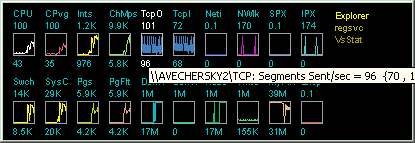
If you want to grab the maximum CPU power for your PC video game (or any other PC application, by the way), there is a free utility that will ensure that the PC CPU does not spend to much time on anything else: Game Booster. It may be bad for a correctly balanced performance, but some games may appreciate the help.
OK, you’ve already seen all the icon collections on the Internet. Nothing can surprise you anymore. Stop! Icons Etc is really something else. You will find hundreds of high-resolution quality icons all of them being free and of the highest quality.
I just took one part of the simplest category: Rain drops.
Rain drops (on Icons Etc.)
I’m sure that you will find whatever you need for your web site, for your Windows desktop or any other icon-based application.
Windows 7 is not even here, but there are already people complaining about its download speed when using Torrent P2P software. It has the same limitation on half-open connections as Windows XP. So, there are people who already found the solution: Half-Open Limit Fix is a small, portable utility that is compatible with Win7 and will patch your tcpip.sys in just a few clicks.
I am not sure that this is exact all over the Internet, but I just noticed that this is true for YLovePhoto, one of my web sites: There are more visitors using Firefox than Internet Explorer.
YLovePhoto.com
Then, I checked for Roumazeilles.net itself, and I noticed the same situation:
Roumazeilles.net
It appears that Firefox is moving very fast. Who would have thought -a few years ago- that Microsoft’s world domination would be toppled like that?
Just a short notice. I discovered a very simple and relatively powerful Internet privacy solution, Ultrasurf, for those of us who may be interested in browsing the Internet in near complete anonymity: hide IP addresses and locations, clean browsing history, cookies & more …
SSD drives are those disk drives that are not using rotating platters with data stored magnetically, but that are based upon a set Flash memory components (so, without any mobile part, and with a performance that has nothing to do with even the fastest magnetic hard disk drives). SSD drives are expensive but, with costs are plummeting, the most expert and demanding users are starting to look at them dreamingly.
But everything shows that the SSD drives are not all equal (there is still an intense competition at this apex of performance). We see many a product recommended, often without all the technical arguments.
The “A look at SSD performance in Windows Vista – The more things change…” article from Geoff Gasior (The Tech Report) is definitely full of little gems because of that: It comes after a large number of tests (and many articles on the same subject) and compares finely the most representative products of the market.
Intel is presenting new X25-M SSD products that are supposed to bring prices down and performance up (in a nice gray metal case). See more details in Ars Technica early presentation.
Without telling it all (read the article. It’s worth it and you will learn many things), there are a few important conclusions drawn:
Initial performance is usually much reduced after some time and some even light use,
X25-M from Intel is probably the best drive around, the most well-balanced (recommended for a purchase in the short-term),
The OCZ Summit is the faster in write operations (Intel is an ace of reading),
the differences between suppliers come more from the controller used (Intel, Samsung Indilinx) than from the the brand.
The arrival of Windows 7 (with its TRIM feature support) will probably change the situation (all the more because TRIM support is not yet certain from Intel) and, if you can wait, you will be better being patient and hope for Windows 7 and the new products and new firmwares made just for it.
If you have Windows installed on your PC, you may have noticed one surprising thing: File copying is amazingly slower than what it was in previous editions of Windows or on other kinds of computers. The exact reason is a bit unclear (some say that it is linked to some Digital Rights Management features kicking in any time you copy a file, but this is still unproven to my knowledge) but this became a very annoying issue for people who have to copy either lots of files (backing up your daily work is a good example – by the way, did you make your daily backup yet?) or some very big files (moving video files around your computer is the archetypal example).
This situation led to the appearance of a few optimize file copy utilities (a software category that did not exist a few years ago, but a useful one). Let’s look at 4 of them which have the enormous advantage of being completely free:
SuperCopier: Its strong advantage is that -after installation- it replaces completely the default Windows copy for drag-and-drop (it works nearly without thinking about it)
FastCopy is fast but forgets mostly about being beautiful. However, it has a few interesting (and unique) options to configure the way the right-click menu appears.
RichCopy is the internal Microsoft solution to their own bug/issue. Amazingly configurable, you can setup profiles for different uses (probably too much for most users, though) but I couldn’t find how to insert it in the right-click menu.
CopyHandler: You can’t get more technical than this one! Options include things as obscure as buffer size depending on the type of file copy you do (disk-to-disk, directory-to-directory, disk-to-CD/DVD, etc.) The best little gems here include the possibility to pause/restart file copying, shutting down the computer at the end of a copy session, or scheduling a copy session for the next login.
All of them get rid of the usual flying folder kind of window and replace it with a more technical-looking window with progress bars and more optional lists of details.
Anyway, even if I can recommend all of them (a little preference for SuperCopier), remember that they are not even useful (in terms of copying speed) in Windows XP or Windows 2000. But, if you are using Windows Vista (mostly) or Windows 7, you should seriously consider them.
Simply the best video player for Windows, VLC, just quit its long beta phase. This is official now, VLC v1.0.0 is available with a list of small improvements brought to an already impressive product that I can only recommend if you are using video (to read DVD, BluRay, HD-DVD discs; to stream videos from your computer; to convert your videos; and I sure forget some).
It had been quite some time that I did not comment price variations of electronic components. It was easy and acceptable: Everybody could observe the slow price fall under the pressure of recession. But there is a change worth mentioning (and not only the stabilization of LCD prices): DDR3-type of DRAM memory should see a significant price rise during July 2009. According to DRamExchange, we could also expect a 30% hike by the year’s end.
Those elements resulting from the observation of long-term markets and futures, they have quite good reliability. But if the recession does not seem ready to end, why this move up? As a matter of fact, memory buyers are probably preparing themselves for the arrival of the new Windows 7 and its unavoidable additional resource demands. Furthermore, while many processors (specially from AMD, but not only) may be using DDR3 memory but also older DDR2 with no perceivable performance loss, the transition from DDR2 to DDR3 is slowly happening. And this is pushing DDR3 quantities up.
So, if you have a clear need today, I would recommend you to buy your DDR3 memory now. But if you think that you can use DDR2 memory (if you have to ask, that’s your situation), you’d better wait for the relative price slowdown that will be happening on DDR2.
you merely change the size of the Windows desktop and all your desktop icons are forcefully moved around against your will. After one or two of these, you’d be ready to cry, while backing up the position of the icons would be enough, before connecting a new screen, or attaching your laptop to a video-projector, etc.
Up to now, you could only cry and reposition the icons. But here comes DesktopOK. What can I say? It does exactly what you want and what you need: a mere backup, a simple restore and your icons come back where you wanted them.